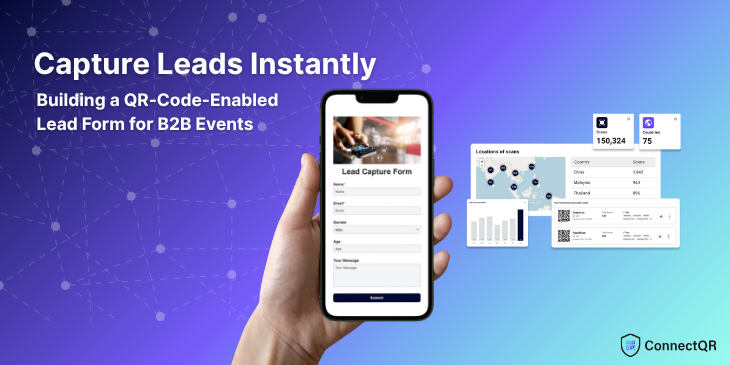
Organisers at tech expos, networking conferences, club nights and corporate seminars are discovering that a QR code for lead capture form transforms how they collect prospects. With ConnectQR’s dynamic QR codes and drag-and-drop form builder, you can attract attendees, gather high-quality data and follow up faster.
Organisers at tech expos, networking conferences, concerts, motor expo and corporate seminars are discovering that a QR code for lead capture form transforms how they collect prospects. With ConnectQR's dynamic QR codes and drag-and-drop form builder, you can attract attendees, gather high-quality data and follow up faster—no paper or third-party integrations needed. Here's a concise, step-by-step guide to get you started.
Why QR-Driven Lead Capture Matters
Instant & Accurate Attendees scan a code with their smartphone and enter details directly—no handwriting, no transcription errors.
Mobile-First Experience Every form is optimised for screens of all sizes, ensuring a frictionless sign-up on devices that your audience already uses.
Actionable Analytics Track scans by location, device and time; identify which banners or table displays generate the most interest.
Brand Consistency Customise codes with colours, logos and campaign tags (e.g. "TechSummit2025"), reinforcing your brand at every touchpoint.
From San Francisco to Singapore, a digital lead form via QR code elevates professionalism, accelerates data collection and fuels sharper post-event follow-up.
Design Your Custom Lead Capture Form in Minutes
ConnectQR Forms (available on Plus, Pro and Enterprise plans) lets you craft a concise, on-brand form—no coding required.
1. Access the Forms Builder
Log into your ConnectQR dashboard.
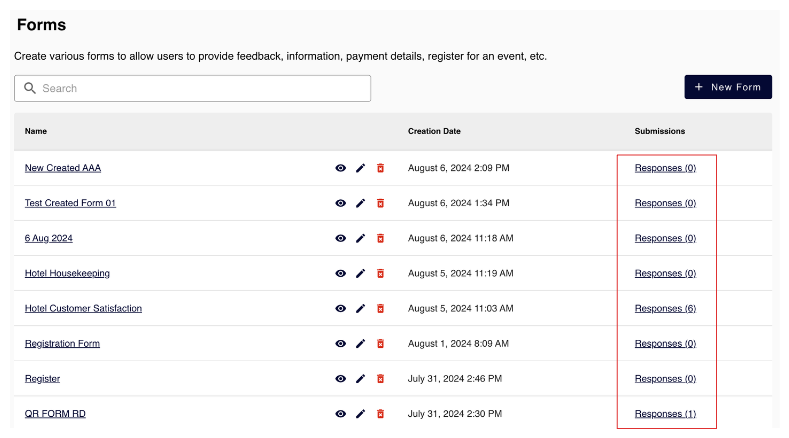
Click Builder → Forms and select New Form.
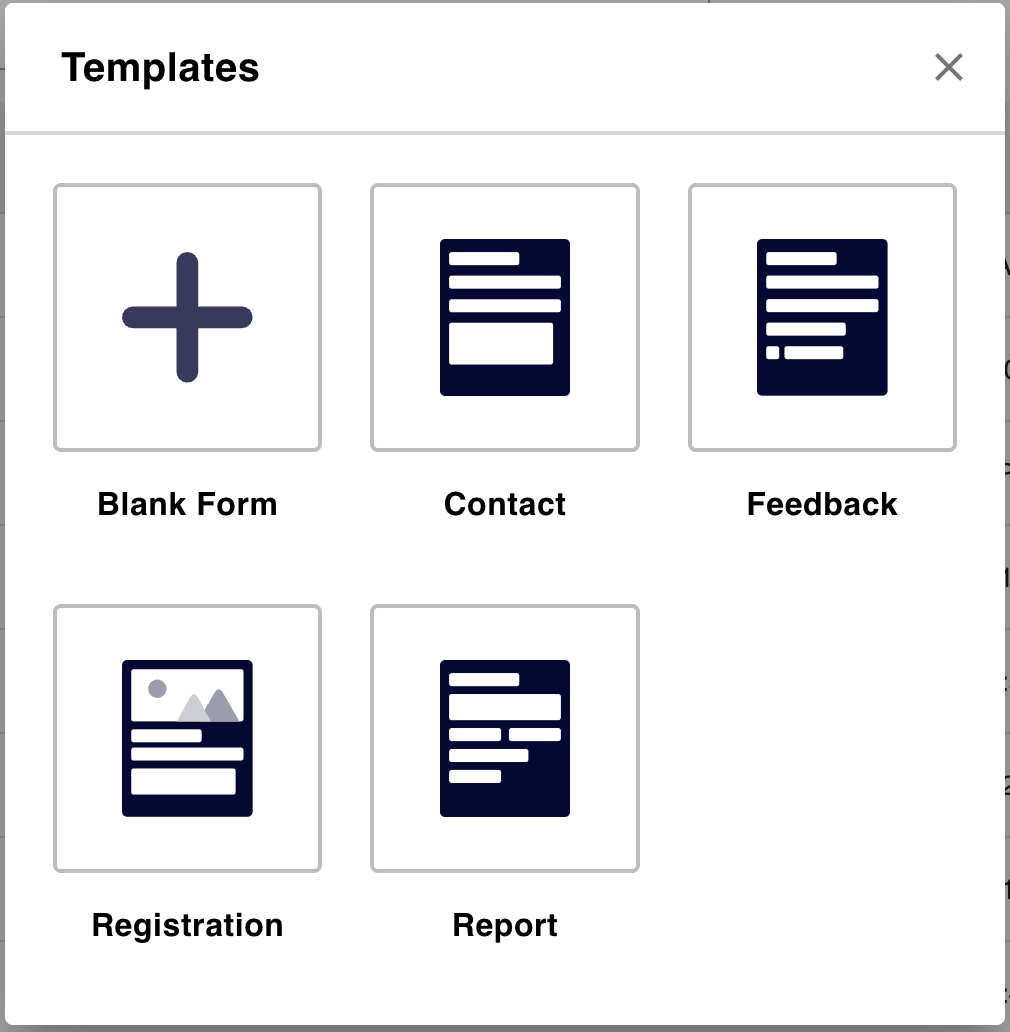
2. Choose a Template or Start Blank
Pick Contact or Registration if you want pre-configured fields (Name, Email, Company, Position).
Or select Blank Form to assemble exactly what you need.
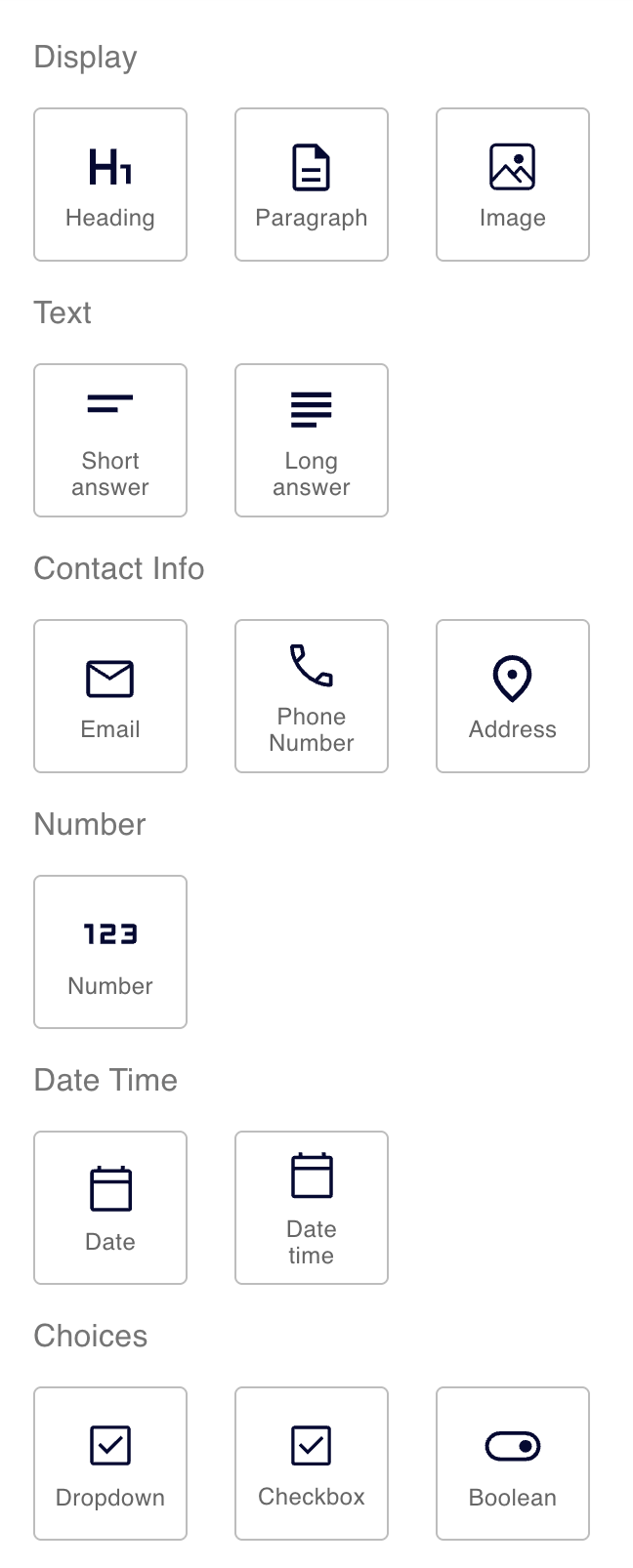
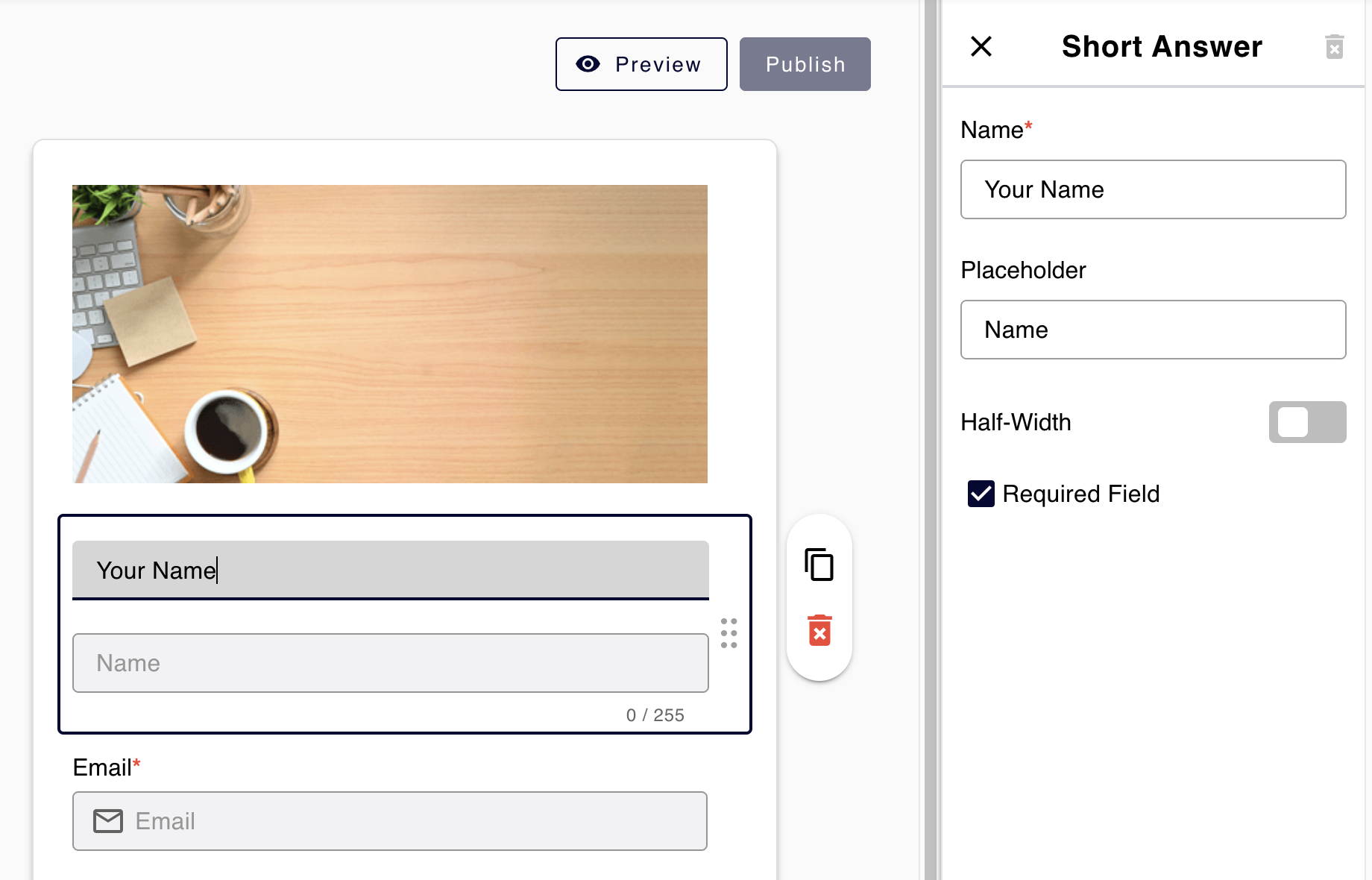
3. Drag & Drop Key Components
Heading: Clearly state the purpose (e.g. “Join Our VIP Networking List”).
Image: Add high quality images to your form
Short Answer: Capture Name, Company or Job Title.
Email: Validate contact information automatically.
Phone Number: For SMS follow-up or chat-based outreach.
Date and Date time: For check-in or check-out.
Dropdown/Checkbox: Ask qualifying questions—"Which industry best describes your business?"
Boolean: Obtain consent for marketing communications.
4. Customise & Preview
Click each field to edit its label, placeholder text and validation (e.g. “Must contain '@'”).
Tweak fonts and colours to match your event’s branding.
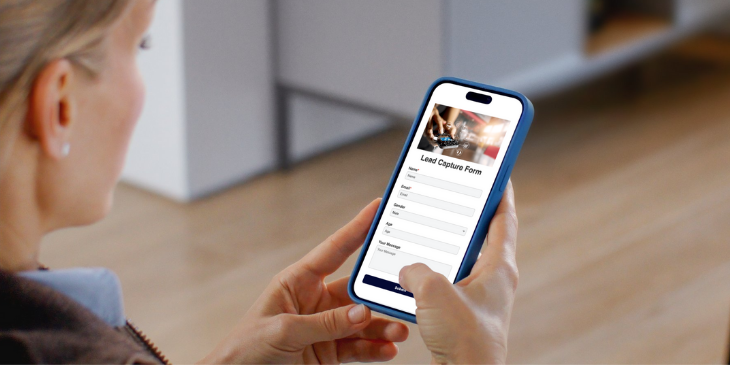
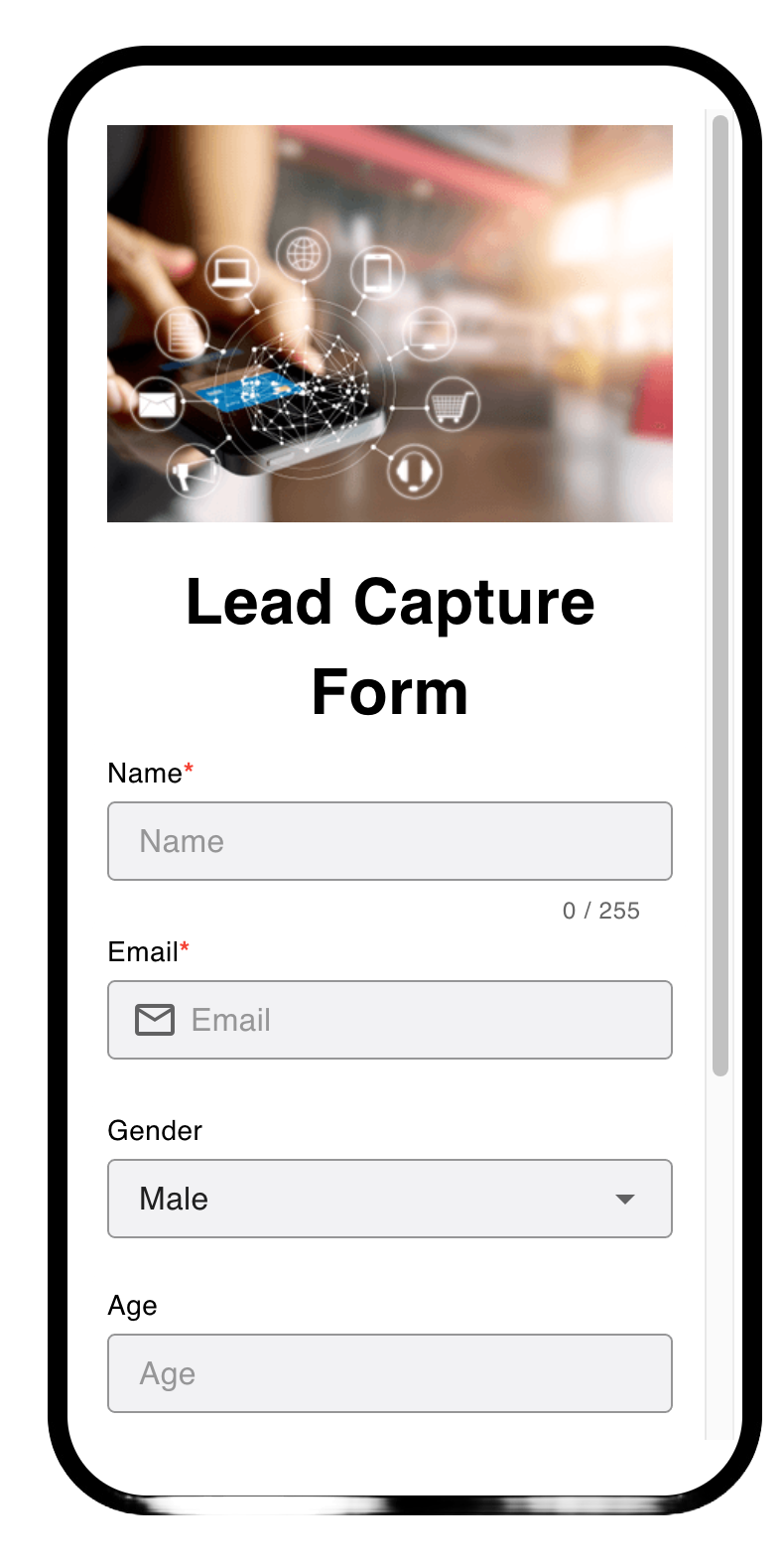
Save and tap Preview to verify mobile responsiveness.
Within minutes, you’ll have a polished lead capture form that can be updated at any time—without reprinting codes.
✅ Always include a privacy notice and consent checkbox in your form to stay compliant with GDPR, PDPA, and CCPA regulations.
Embed Your Form in a Dynamic QR Code
1. Generate a Dynamic QR Code
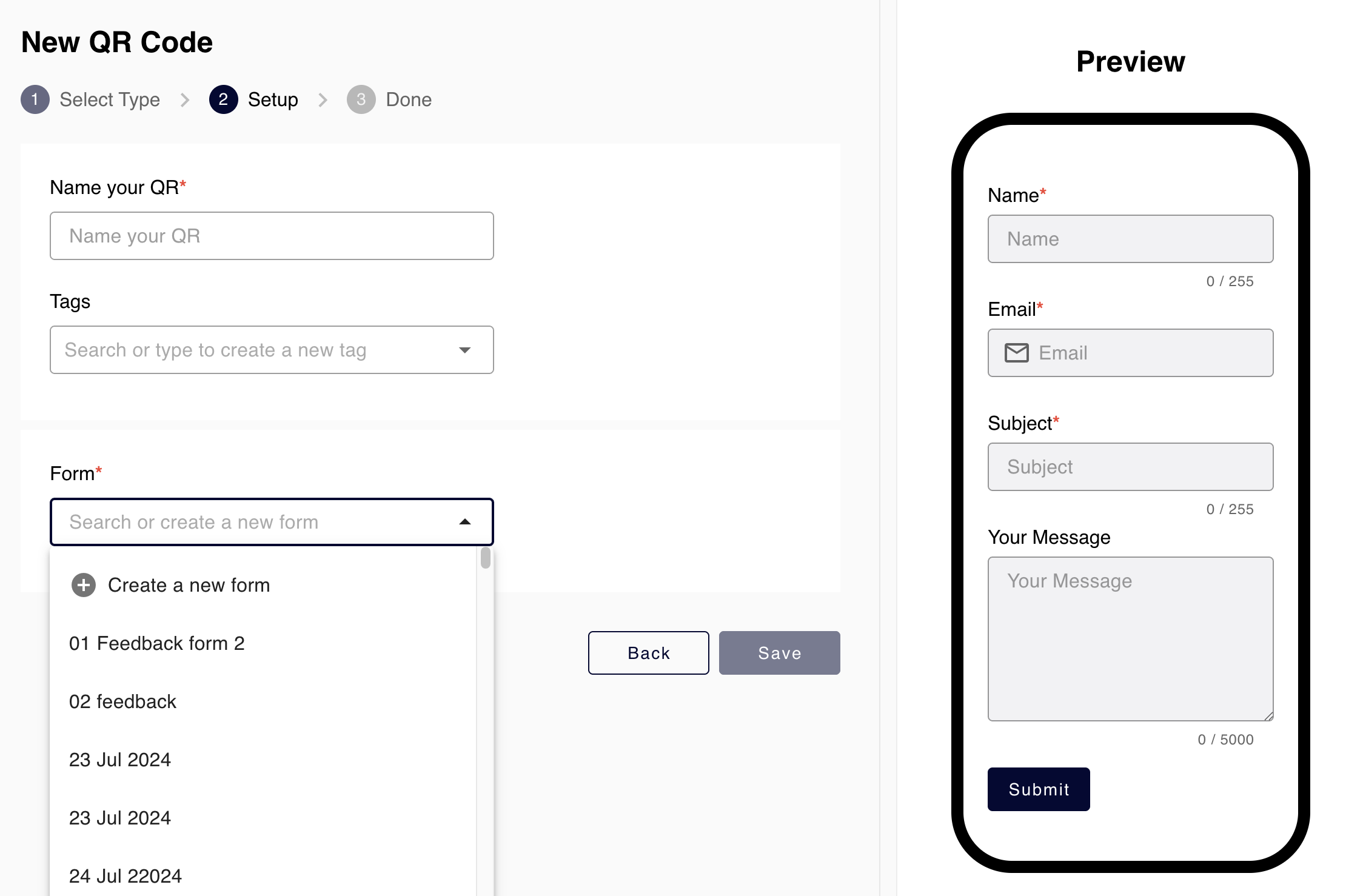
In the ConnectQR dashboard, select ConnectQR → Create QR.
From Dynamic QR Code,select Form as QR Type.
Name your , and select your freshly built form.
2. Brand & Label Your Code
Upload your logo via Media Library and select complimentary colour schemes.
Assign a campaign name (e.g. “GlobalB2BForum2025”) for easy filtering in analytics.
Use ConnectQR's AI-Generated styling for a unique look—just confirm strong black-on-white contrast for reliability. Read more about AI-Genereated QR codes here.
3. Download QR Code
Click Download to export a high-resolution PNG or SVG.
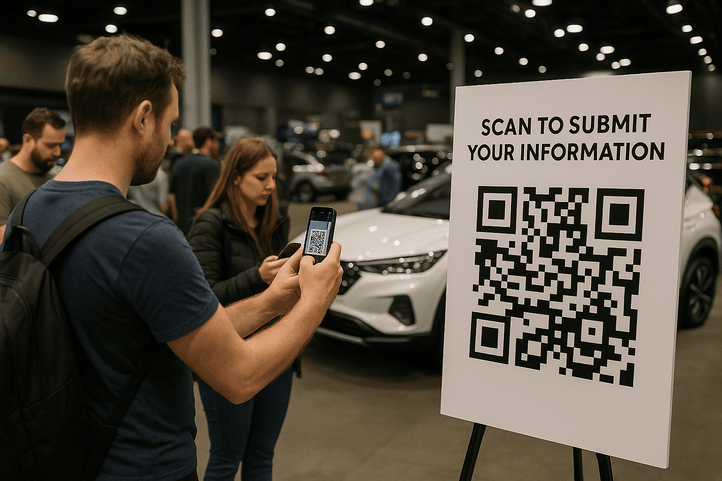
Incorporate the code on booth banners, table-top stands, flyers, digital slides—wherever attendees can't miss it.
Add a brief call-to-action like "Scan to Register & Receive Your Event Guide" to entice engagement.
4. Test Before You Print
Scan the code with multiple smartphones (iOS & Android) to confirm it redirects correctly.
Ensure the form loads quickly over Wi-Fi and mobile networks.
By using a dynamic QR code, you can update the form or messaging mid-event—no new prints required.
View & Export Submissions Directly in ConnectQR
Rather than juggling external tools, ConnectQR lets you monitor all submissions in one place:
1. Navigate to Form Responses
In Builder → Forms, locate your form and click Responses (n).
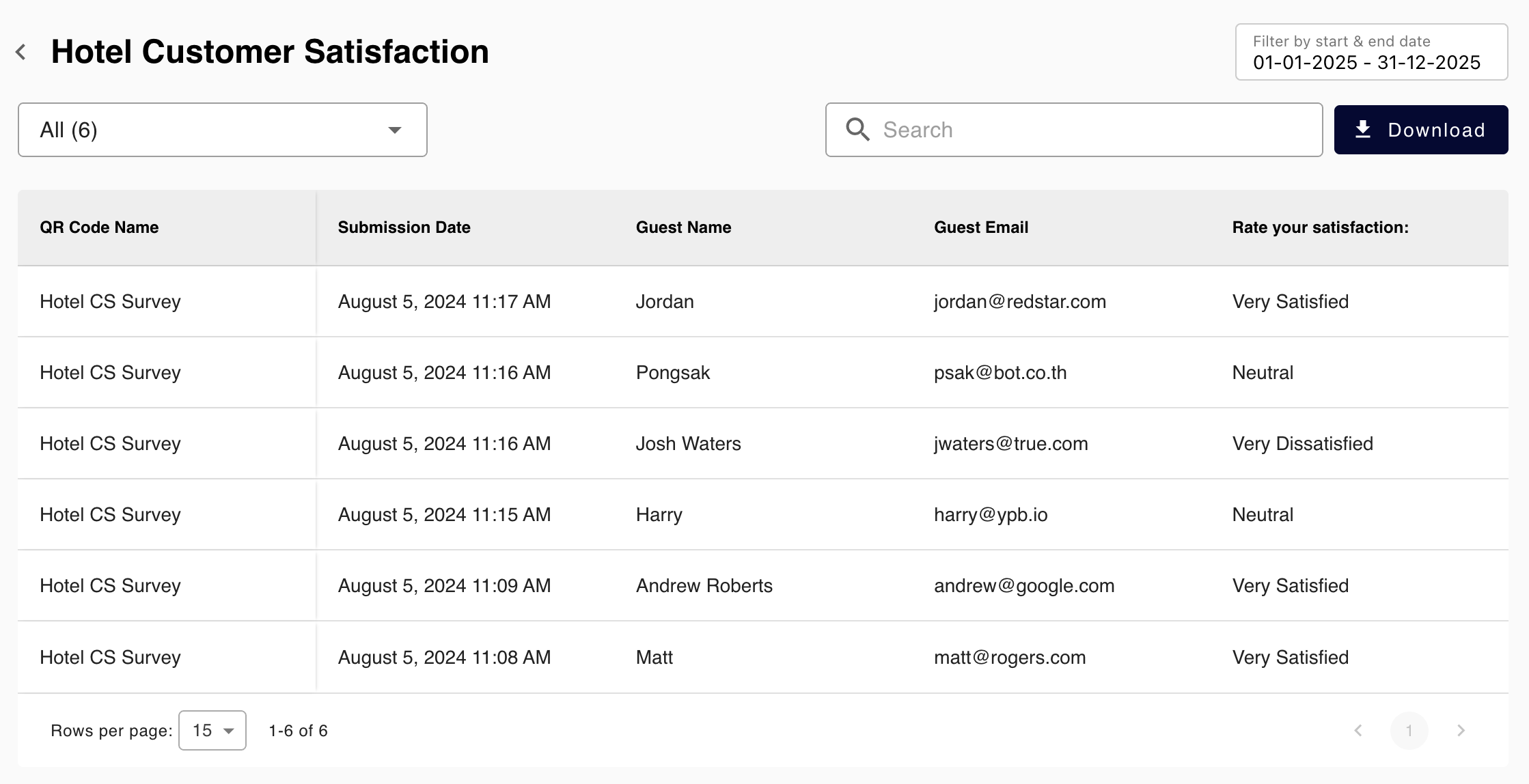
The Form list view displays each entry (Name, Email, Company, Phone, etc.), plus submission date and time.
2. Filter & Search
Use the date range picker to narrow results (e.g. “01-Jan-2025 to 31-Dec-2025”)
Search by email domain, company name or any field to find high-priority leads instantly.
3. Export as CSV
Hit Download to obtain a CSV file with all submissions.
Open in Excel, Google Sheets or your preferred BI tool to segment, tag or sort leads—preparing for rapid follow-up.
🔒 Privacy First: All form responses submitted via ConnectQR are securely stored in compliance with international data protection laws, including GDPR. You have full control over your data. Read our Privacy Policy for more details.
Quick Best Practices for Maximum Impact
Strategic Placement: Position QR codes where traffic is highest—registration desks, session stages, lounge areas.
Clear Incentive: Offer a compelling reason to scan: "Enter our VIP raffle" or "Receive exclusive content".
Concise Form Fields: Limit mandatory fields to Name, Email, Company and one qualifying question—any more risks lowering completion rates.
Mobile Optimisation: Ensure form buttons and text fields are easy to tap; test on multiple devices and browsers.
Real-Time Monitoring: Check submissions hourly during multi-day events. If a particular banner underperforms, relocate it or adjust messaging.
Follow Up Swiftly: The sooner you engage, the higher your conversion chance—contact leads within 24 hours via email, SMS or LinkedIn.
Ready to Transform Your Next B2B Event?
In an increasingly globalised, digital-first world, capturing high-quality leads quickly and accurately is critical—regardless of whether you're hosting a B2B tech summit in Silicon Valley, a music festival in Bangkok, a networking event in London or a product launch in New Delhi. By leveraging ConnectQR’s dynamic QR codes alongside its seamless drag-and-drop form builder, you can:
Design a custom lead capture form tailored to your audience.
Embed it into a fully branded QR code that’s easy to scan and fun to interact with.
View and export form responses in real time—no additional integrations required.
Ready to elevate your next B2B event?
Enable instant, paperless lead capture at your next B2B QR code event—wherever in the world you are. Get a 14-day free trial to the Plus plan!
Note: ConnectQR Forms (and unlimited form responses) are available to Plus, Pro and Enterprise users. See our Pricing Page for details.

.png)