
Create dynamic QR codes with real-time analytics. No credit card required.
Start for Free →The search usually starts with a code that has stopped doing its job.
The search usually starts with a code that has stopped doing its job.
A window sticker points at a landing page retired during a rebranding. A table tent sends diners to a menu PDF sitting in a former manager's personal cloud drive. The artwork is fine, the printing is fine, and neither fact helps, because the destination was written into the black and white pattern at the moment the file was exported. Reprints are a real cost for an independent shop rather than a line item somebody else approves, which is why the best qr code platform for small business is the one that keeps a destination editable long after the ink has dried.
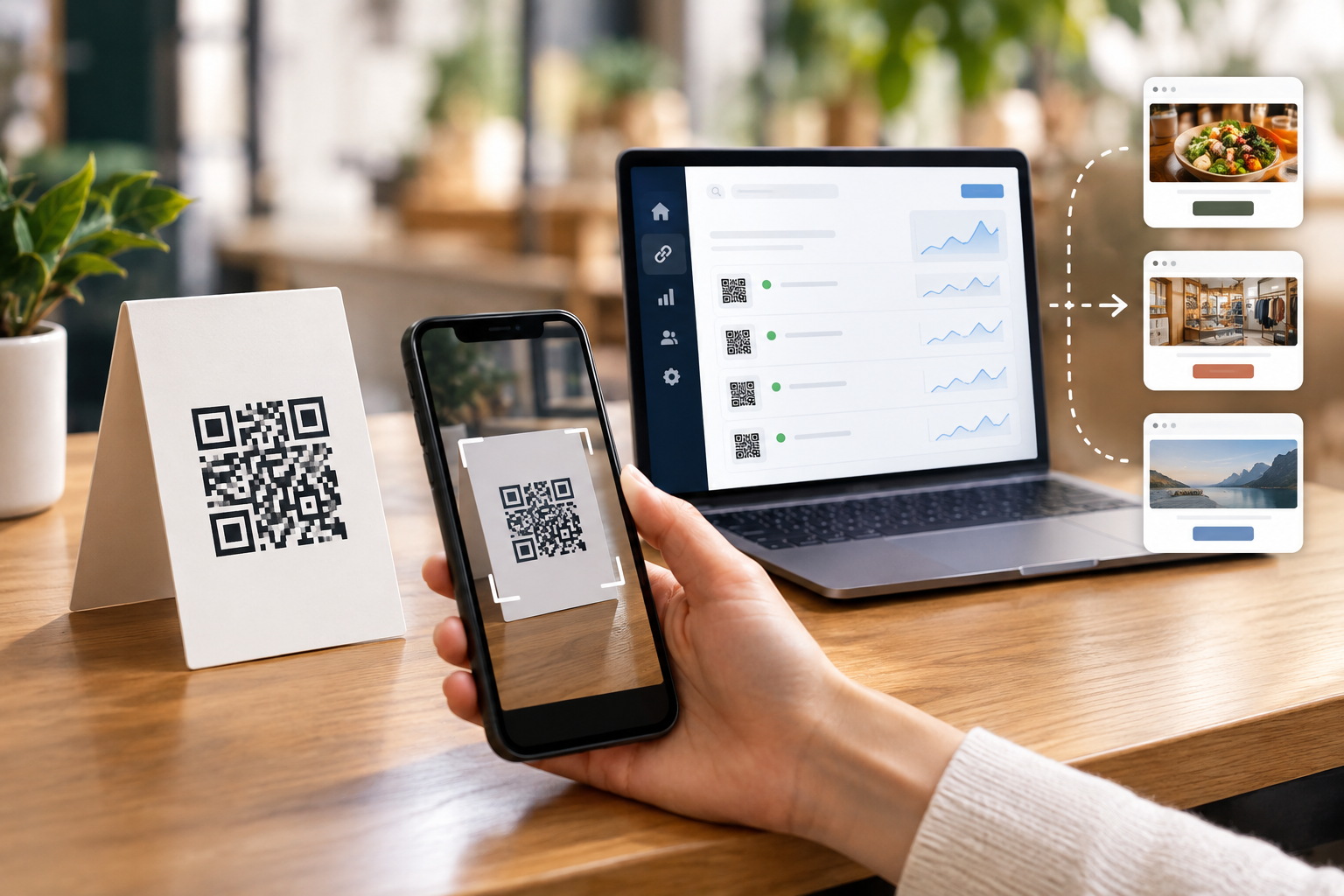
Three different products present themselves as the best qr code platform, and they fail in different ways. Free image generators hand over a picture and forget you. Design tools place a code inside a layout and treat it as decoration, which is reasonable, because a layout is what they are for. Redirect platforms keep a live record for every code, so the pattern on the wall stays fixed while the destination behind it moves.
Only the third kind is a platform in any load-bearing sense of the word.
A small operator works under constraints a marketing department never feels. There is no developer to call at seven in the evening, the print run was paid for once, and the person who opened the account is often the person standing at the counter. Software that quietly assumes a team behind the user fails here, usually on the day somebody leaves.
Account ownership is the first thing that goes wrong. Codes created under a personal email address belong to that email address, and the business discovers this only when the address stops being answered. The redirect domain carries the same problem in public view: if the short link on the sticker reads like a stranger's brand, the traffic and the trust are borrowed rather than owned. Billing has its own version, because a plan metered by scans can turn a successful weekend into an invoice nobody planned. None of this appears in a feature grid. It appears in month seven.
Four questions settle most of it, and every one of them can be answered inside a trial account rather than read off a pricing page.
Management is doing real work in that phrase. The tool treats each code as a record with a life of its own: who created it, what it points at now, what it pointed at before, which physical asset it was printed on, and whether anybody is still scanning it. The image is the least interesting part of that record, and it is the only part a generator gives you. Everything else in the list below is what you are actually buying.
The useful fields are unglamorous, and they are the ones that make a code findable two years later.
That last field is the one small teams skip and later wish they had not. A redirect is a small piece of infrastructure with an outsized blast radius: one edit sends every future scan of an already printed asset somewhere new, instantly and everywhere it exists. Treating that control like a shared password is how a campaign gets repointed by accident on a Friday. Treating it like a record with an owner and an audit trail costs nothing extra in most tools, and it is usually listed near the bottom of the feature page where nobody reads.
Bulk operations matter earlier than most buyers expect. Five codes are manageable by hand; fifty locations, each with a table code and a window code, are not, and the difference arrives in a single afternoon when a second site opens. Look for creation from a spreadsheet, editing several codes at once, and naming that can be applied in a batch rather than typed fifty times.
It is also worth knowing what a scan record contains before building expectations on it. A redirect sees the time of the request, the type of device, an approximate location derived from the network, and the code that was scanned. It does not see who the person is, what they did after arriving, or whether they bought anything, unless your own site tells you that separately.
Retirement deserves as much thought as creation. A code on packaging outlives the promotion printed beside it, so decide in advance where an expired campaign sends people: a product page, a support page, a shopfront, anywhere except an error message in the customer's hand.

One thing a comparison of tools cannot tell you is where your codes should point, and that decision governs whether any of this pays for itself. A small business rarely needs a landing page in the marketing sense. It needs the shortest route to the thing the customer is already trying to do.
The useful destinations are short and specific, and each one replaces a job previously done by a queue, a phone call or a printed sheet that goes out of date.
Point at a page you control rather than a document in cloud storage. Sharing permissions change, files get moved between accounts, and links break in ways nobody notices until a customer mentions it at the till.
Then check how the destination behaves on a phone with one bar of signal, because that is the condition it will be scanned in. A person standing in your doorway does not wait eight seconds for a page built for a desktop, and the fastest way to waste a print run is to point it at something slow. Test it yourself, on your own phone, standing where the code will be printed.
The code is the easy part. The page behind it is the product.
Published tables measure what is easy to tabulate. A qr code platform comparison that predicts your actual experience measures the two operations you will repeat for years, which are creating a code and changing where it goes.
Run the sequence below on a trial account before the print order rather than after it.
Step six is the one vendors are least prepared for, and it tells you the most. If canceling stops the redirects, the printed assets were never durably yours; you were renting the pattern on the wall for as long as the subscription ran. Some services handle this honestly with a grace period or a static fallback, and the policy is worth reading before the print order.
Two more answers rarely appear in documentation, so ask support for them in writing. Ask what happens to existing codes when an account is downgraded rather than cancelled, since downgrades are far more common than cancellations. Ask whether scan history is retained when a code is deleted, because analytics you cannot recover are analytics you do not own.
A vendor that answers both plainly has thought about the years after the sale, which is exactly the period a printed code has to survive.
One last piece of advice costs nothing and saves the most common disappointment. Whatever you choose, create the codes in the tool before the designer needs them, not after the layout is finished, because a code added at the end is a code nobody tested at final size. Give each one a name that matches the printed object, keep the list somewhere the whole business can see it, and put a reminder in the calendar for the week after the print arrives to scan every asset in place. That last step takes twenty minutes and catches the errors that would otherwise be found by a customer. Print is unusual among marketing channels in that it cannot be edited after publication, and the whole value of a platform is that it moves the editable part somewhere else.
Ready to create your first QR code? Start free on ConnectQR - no credit card required.
Create dynamic QR codes with real-time analytics. No credit card required.
Start for Free →